
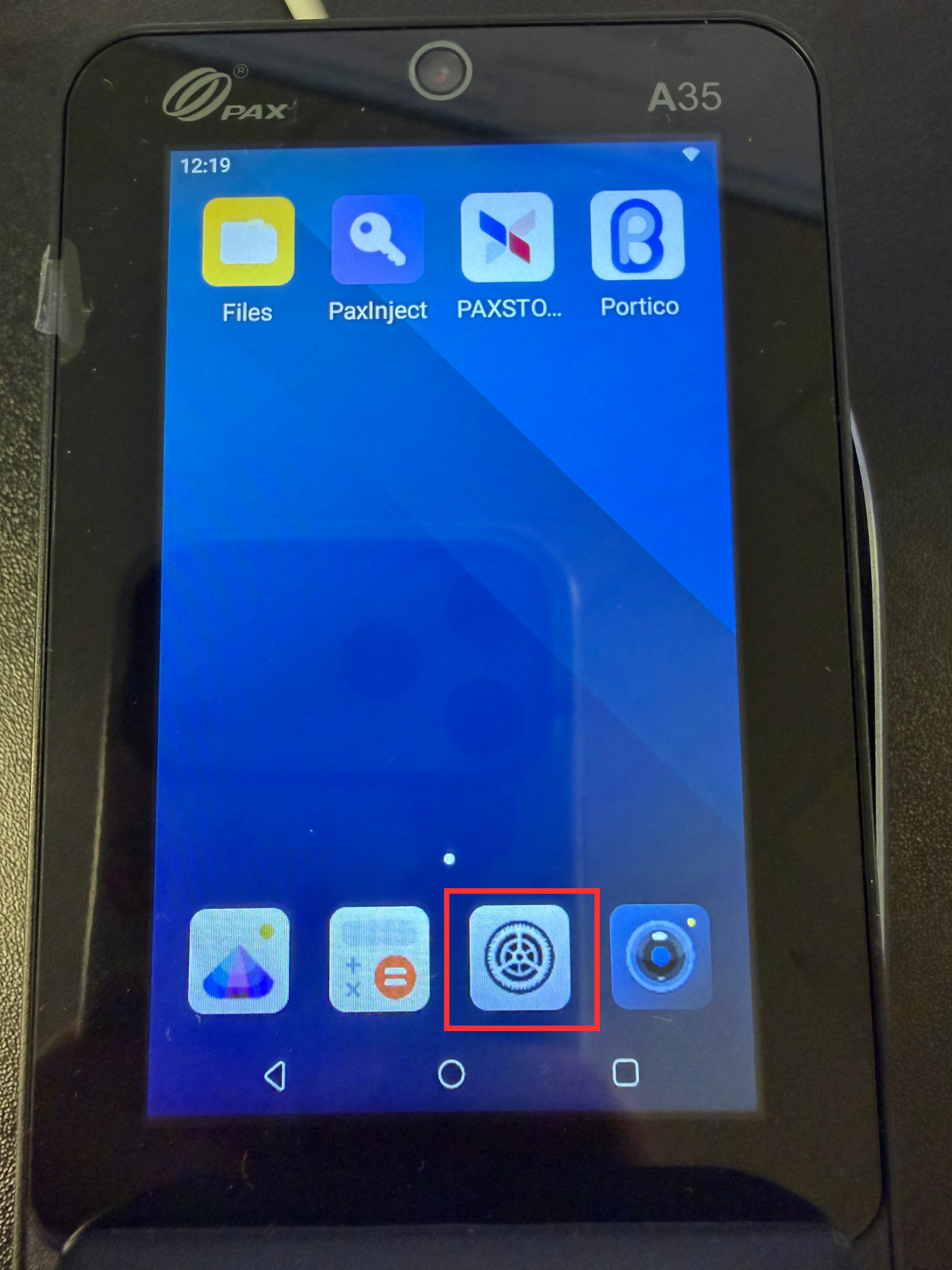
- Open the PAX A35 settings from the home screen.
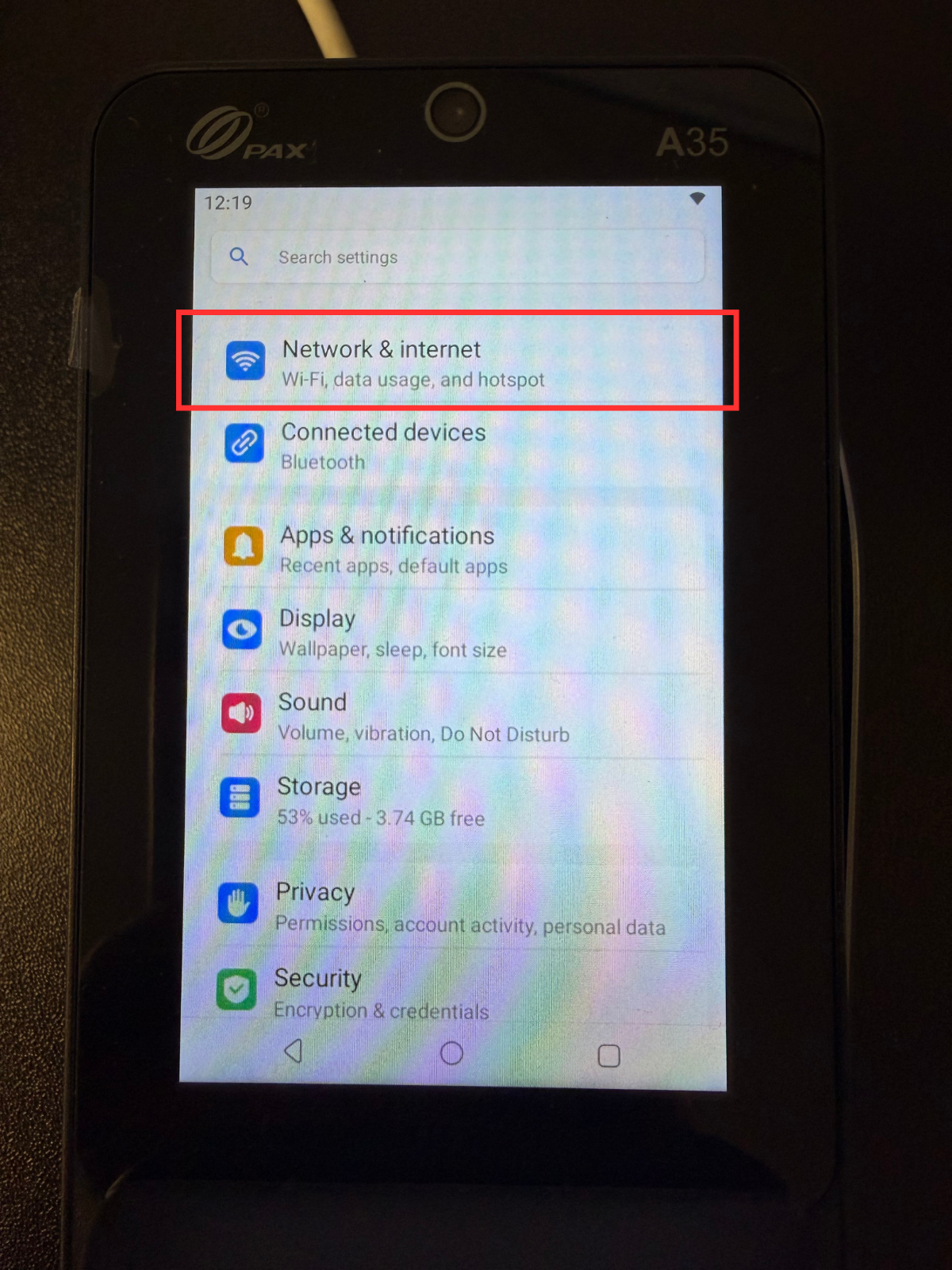
- Enter into Network & Internet Settings
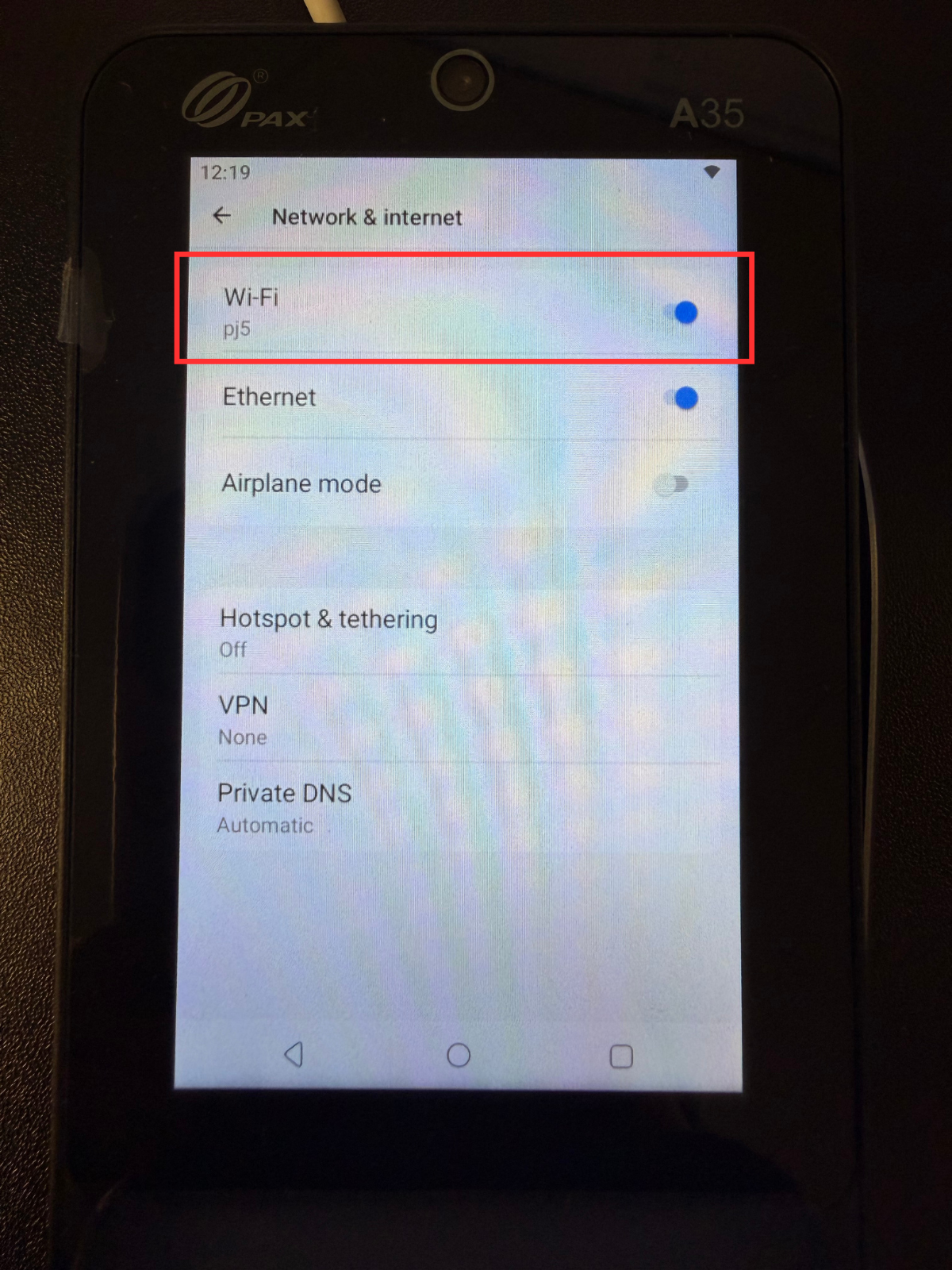
 Select Wifi
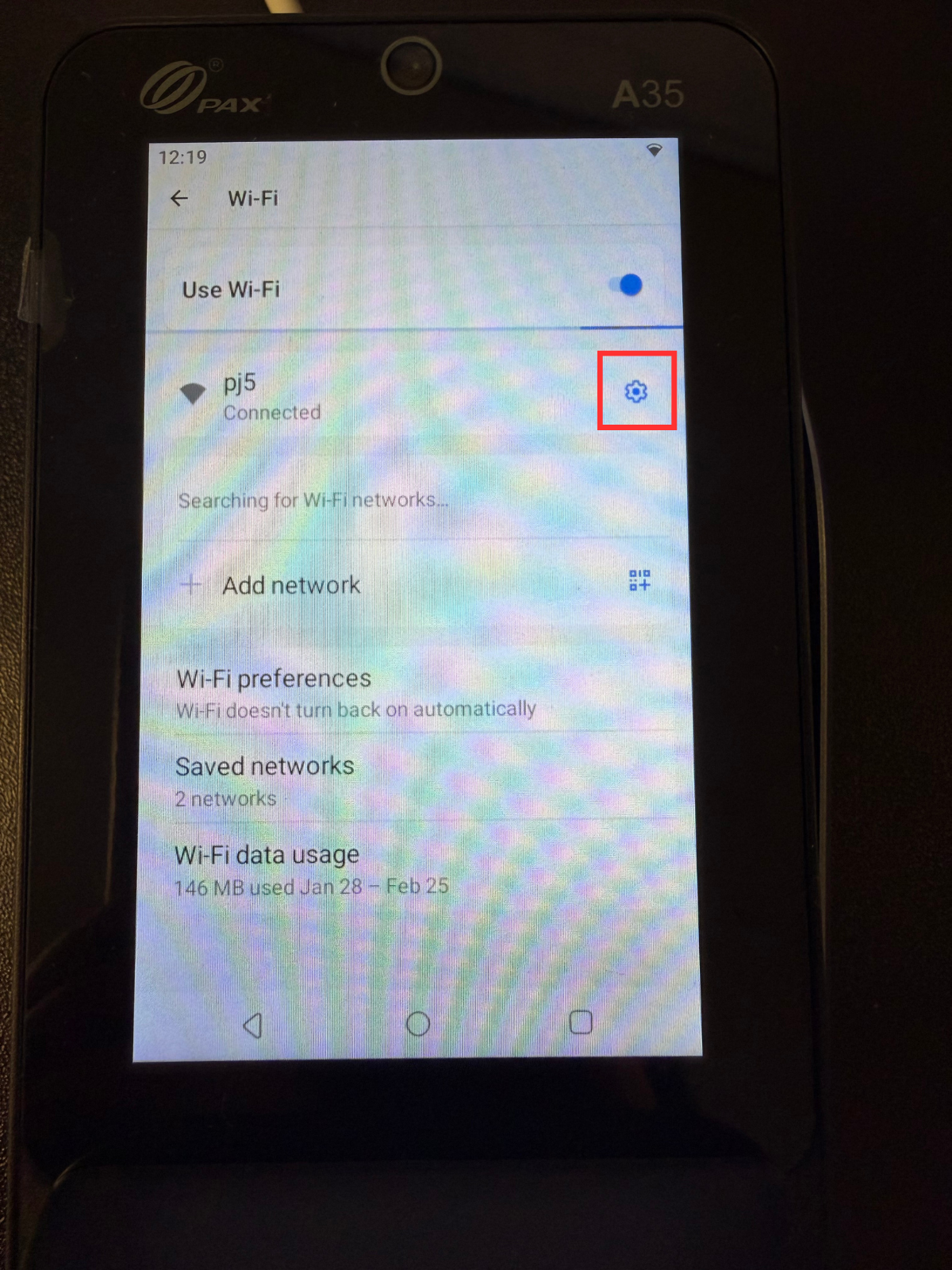
- Select the blue gear icon next to the name of the Wifi
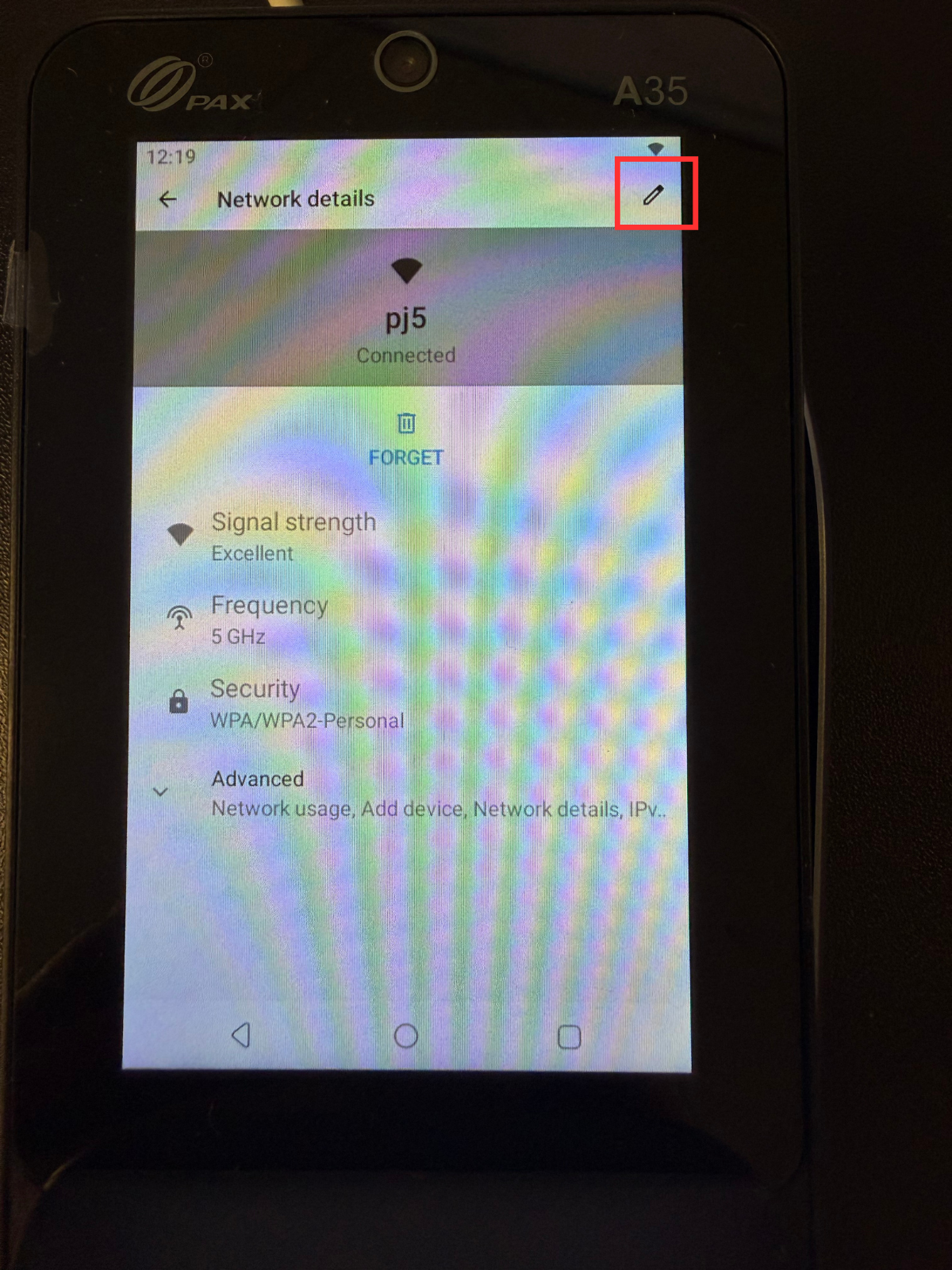
- Select the pencil icon at the top right corner of the screen
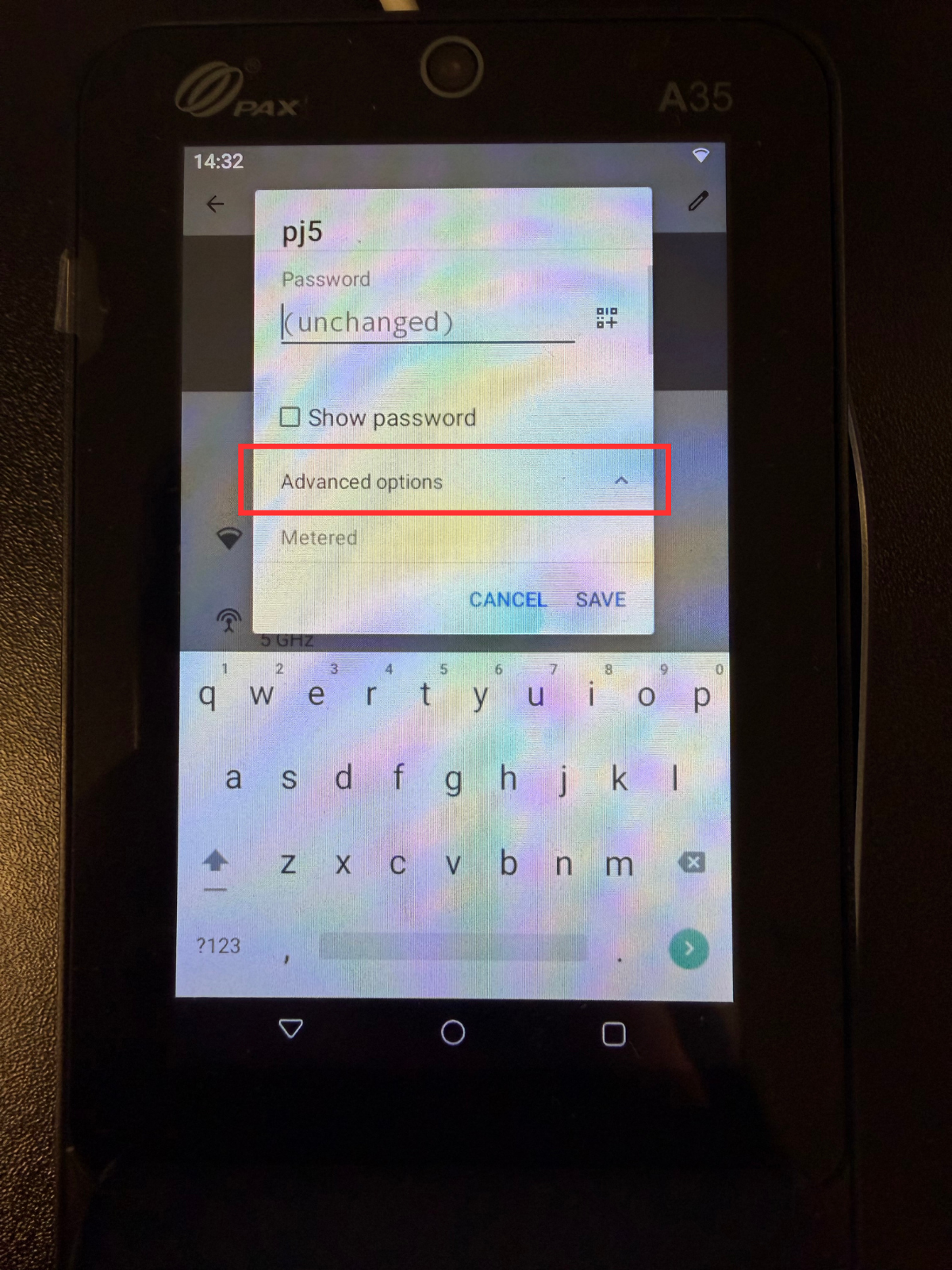
- Hit the Advanced Options dropdown on the popup
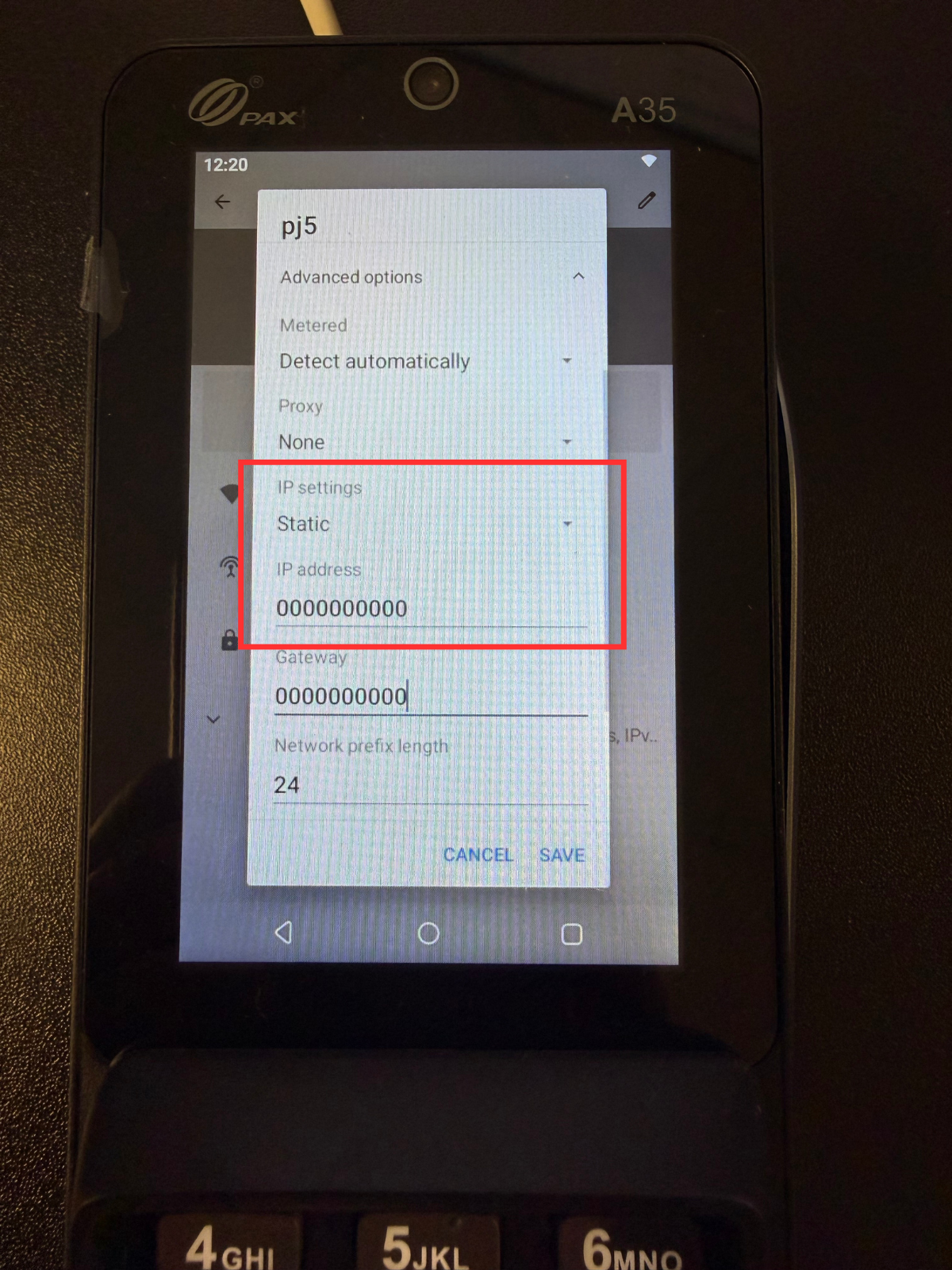
- Scroll down slightly, and change the IP settings from DHCP to Static
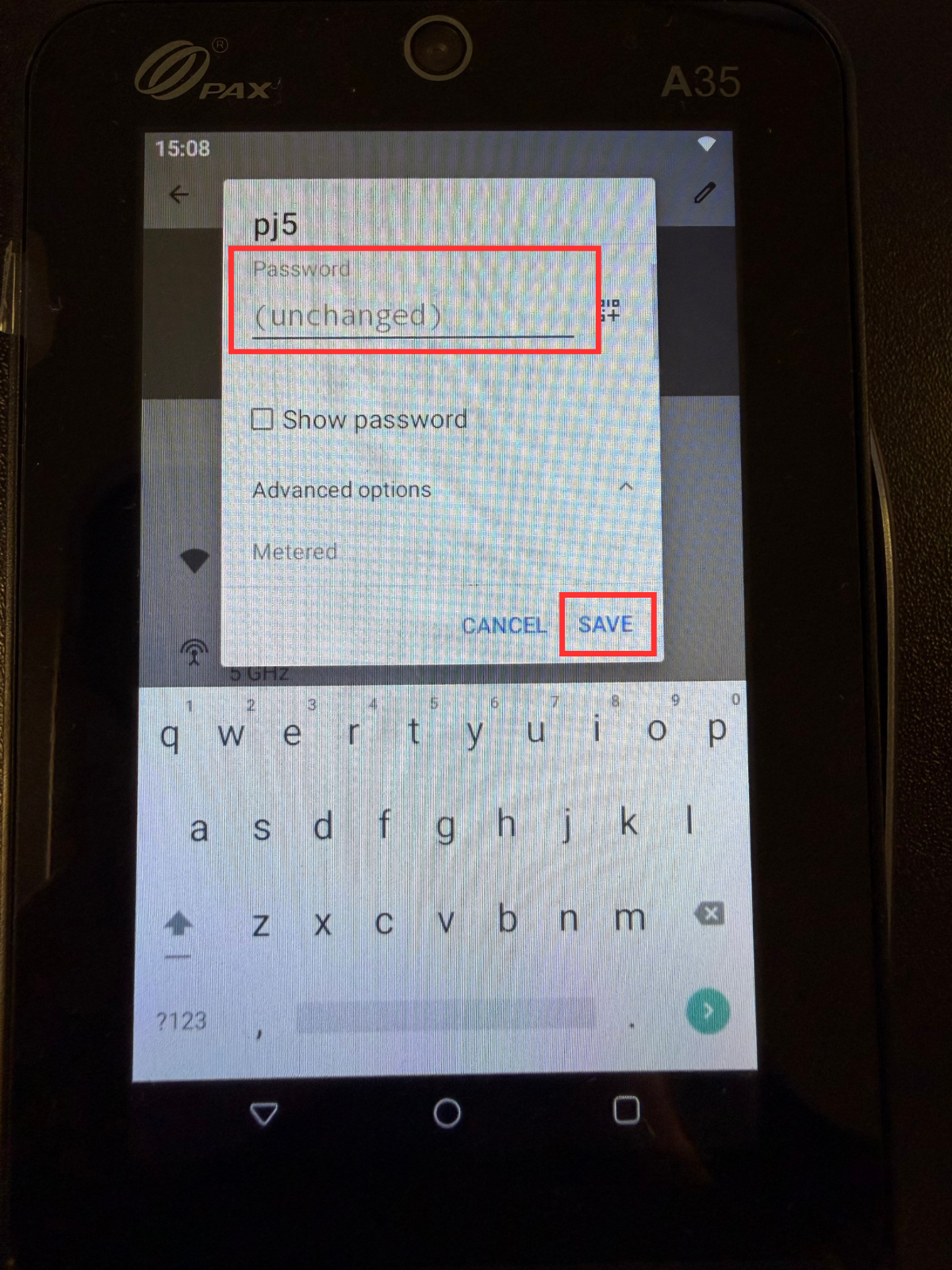
- Scroll back up and enter the Wifi Password and select Save
- To check the IP Settings, close the A35 Settings, and reopen it. Follow the steps from 1-6, and the IP Setting should now say Static.